
Log In

The TAGT App Is Here

Your TAGT Community, Resources, and Updates—All in One Place

Stay connected to TAGT wherever your work takes you. The new TAGT app via Thrive365 brings association updates, professional learning opportunities, resources, and community connections together in one mobile experience.

TAGT members can log in to access TAGT Connect, participate in community conversations, and explore member-only content. Nonmembers can use the app to access selected public information and discover ways to connect with TAGT.
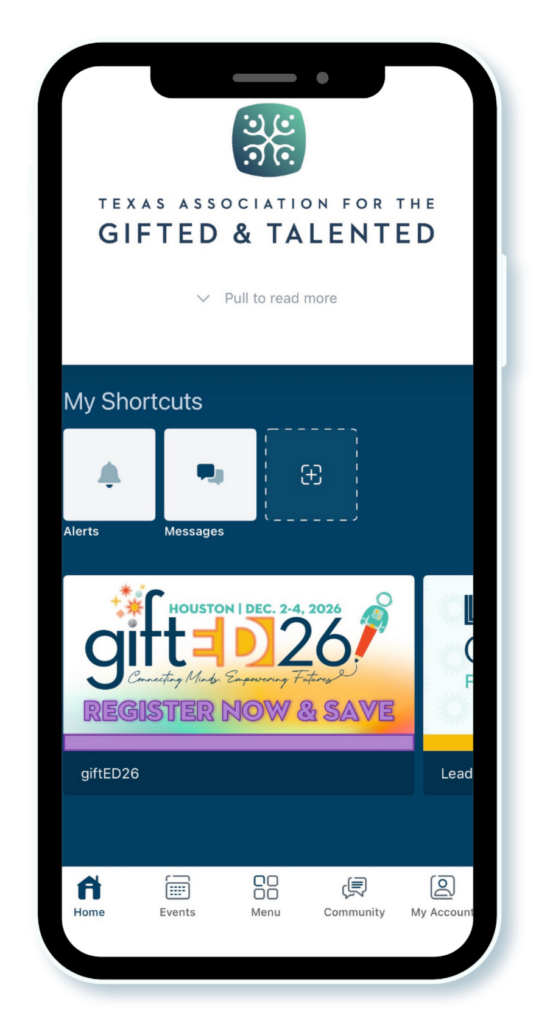
What You Can Do in the App

Use the app to:

  • Find TAGT news and updates.
  • Explore professional learning opportunities and upcoming programs.
  • Access selected gifted education resources.
  • Learn more about TAGT membership and benefits.
  • Keep TAGT information close at hand from your mobile device.

More for TAGT Members

Logged-in members can also:

  • Access TAGT Connect on the go.
  • Read and participate in community discussions.
  • Ask questions and share ideas or resources with fellow members.
  • Access member-only resources and features.

The TAGT app is open to both members and nonmembers. The content available to each user may vary depending on login status and active membership.

How to Access the TAGT App

The app you will download is Higher Logic Thrive Mobile 365.

Thrive365 is the container app. Once you open it, select the Texas Association for the Gifted & Talented or TAGT to enter the TAGT-branded app experience.

Get Started

  1. Download Thrive365 from the Apple App Store or Google Play.
  2. Open the app.
  3. Search for the Texas Association for the Gifted & Talented or TAGT.
  4. Select TAGT to open the TAGT app experience.
  5. Log in using the same credentials you use for your TAGT account.

More Features Are Coming

The TAGT app will continue to grow, with additional features and content added over time.

Registered attendees will also be able to access event information for upcoming conferences, including giftED26 and the 2027 TAGT Leadership Conference. Event access will include schedules, sessions, speakers, and other conference details connected to each attendee’s registration.

As you explore the app, TAGT welcomes your feedback. Share what is working well, what feels unclear, and what features or information would make the app more useful to you.

App FAQ

Download Thrive365 from the Apple App Store or Google Play.

Thrive365 is the container app. After opening it, you will search for and select the Texas Association for the Gifted & Talented to access the TAGT app experience.

  1. Download and open Thrive365.
  2. Tap the search bar on the welcome screen.
  3. Search for the Texas Association for the Gifted & Talented or TAGT.
  4. Select the TAGT listing when it appears.
  5. Log in with your TAGT account, or continue without logging in to explore content available to the public.

Once you are inside the TAGT experience, you should be able to replace the standard Thrive365 icon with a TAGT-branded icon. Steps may vary by device and manufacturer.

Apple Devices: New users may be prompted to select the TAGT icon when opening the organization.

To change an icon later:

  1. Open the TAGT app experience.
  2. Tap Menu or My Organization.
  3. Select App Icon.
  4. Choose the TAGT icon.


Android Devices:
Android users may need to add the TAGT icon as a widget:

  1. Press and hold an open area on your home screen.
  2. Select Widgets.
  3. Find Thrive365.
  4. Add the available widget.
  5. Select the TAGT icon when prompted.

You can add TAGT without removing the organizations you already access.

  1. Open Thrive365.
  2. Tap Menu.
  3. Scroll to My Organizations.
  4. Tap Add Another Organization.
  5. Search for the Texas Association for the Gifted & Talented.
  6. Select TAGT when it appears.
  7. Return to My Organizations whenever you need to switch between TAGT and another organization.

No. The TAGT app is available to both members and nonmembers.

Without logging in, users can access selected public content, including TAGT news, program information, professional learning opportunities, conference registration information, and membership details.

Some areas require users to log in or have an active TAGT membership, including TAGT’s online community, TAGT Connect.

  1. Open the TAGT experience in Thrive365.
  2. Select the login option when prompted, or open the account area from the app menu.
  3. Enter the same email address and password you use for your TAGT account. 
  4. Do not create a second account with a different email address if you already have a TAGT account.
  5. Complete the login process.
  6. Return to the main menu to explore the content available through your account.

TAGT Connect is available to eligible logged-in members and registered event attendees.

  1. Log in to the TAGT app.
  2. Select Community from the main app navigation bar at the bottom of the screen.
  3. Open TAGT Connect.
  4. Browse recent posts or select a community.
  5. Open a discussion to read responses or participate.
  6. Use the posting option to ask a question, share a resource, or begin a conversation.

If new content or updates are not appearing:

  1. Open the app menu.
  2. Scroll to the bottom.
  3. Tap the refresh icon or the area showing when the app was last updated.
  4. Return to the page you were viewing.

Yes.

Registered attendees will also be able to access event information for upcoming conferences, including giftED26 (now available!) and the 2027 TAGT Leadership Conference (coming soon!). Event access will include schedules, sessions, speakers, and other conference details connected to each attendee’s registration.

  • Use the email address associated with your TAGT account.
  • Confirm that your password is entered correctly.
  • Select the password-reset option if needed.
  • Avoid creating another account.
  • Contact TAGT at tagt@txgifted.org if you are still unable to log in.